



Cerbo GX vs Cerbo GX MK2 comes down to the CAN bus. Both share the same enclosure, VE.Bus and VE.Direct ports, tank and temperature inputs, relays and Venus OS software. The MK2 changes the CAN ports, the USB ports, the digital inputs and the angle of the RJ45 sockets. For most vans and RVs those differences are small, but they matter if you run a CAN-connected lithium battery plus other CAN gear.
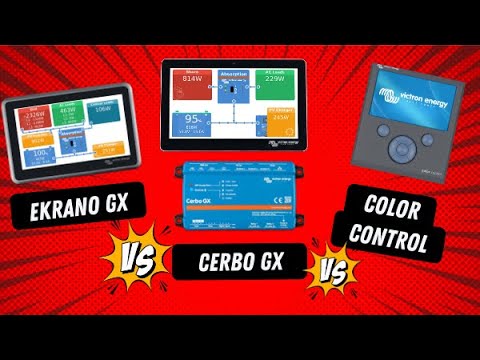
Cerbo GX vs Cerbo GX MK2 Compared
| Feature | Cerbo GX (original) | Cerbo GX MK2 |
|---|---|---|
| CAN ports | 1 VE.Can + 1 BMS-Can | 2 VE.Can (each can run as VE.Can or BMS-Can) |
| CAN isolation | Not isolated | VE.Can 1 isolated, VE.Can 2 not |
| BMS-Can speed | Fixed at 500 kbit/s | Configurable 250 or 500 kbit/s per port |
| USB host ports | 3 (2 functional, 1 power-only for the GX Touch, per Victron’s community notes) | 3, all fully functional |
| Digital inputs | 4 | 4, with pulse counting |
| RJ45 sockets | Standard orientation | Rotated 180° for easier cable removal |
| VE.Direct, VE.Bus, tank, temp inputs, relays | Same | Same |
| Supply voltage | 8–70V DC | 8–70V DC |
Source: Victron Cerbo GX manual (connection overviews and port isolation table) and Victron community moderator notes on the MK2 change.
Why the CAN Change Matters
On the original Cerbo, the BMS-Can port is limited to batteries at 500 kbit/s, and the single VE.Can port is the only place for other CAN devices, such as a Lynx Smart BMS, Orion XS VE.Can models or an NMEA 2000 network. The MK2 gives you two full ports. One can run BMS-Can for a third-party lithium battery while the other runs VE.Can for Victron gear or RV-C.
The isolated VE.Can 1 also helps avoid ground loops when CAN devices sit on different negatives, which is common on boats and larger RVs.
Which One Should You Buy?
- Buy the MK2 if you have, or plan to add, a CAN-bus lithium battery alongside a Lynx Smart BMS, an RV-C network or NMEA 2000. A Victron moderator said the MK2 was aimed at exactly that kind of US RV setup.
- The original is fine if your system is a MultiPlus, VE.Direct MPPTs and a SmartShunt, with no CAN devices or just one battery on BMS-Can.
- Used units: check the part number. MK2 part numbers are BPP900450110 and BPP900451100.
Victron has said it plans to keep producing only the MK2 long term, and its current manual now also lists an MK3 (BPP900451130) that supports more VE.Direct devices.
Full specifications for the Cerbo GX are on Victron’s product page.
What Both Models Do Day to Day
Whichever version you have, the Cerbo GX is the hub of a Victron system. Both run the same Venus OS and offer:
- Live system overview on the GX Touch display, a phone or a laptop browser.
- VRM remote monitoring over Wi-Fi or Ethernet, or with an optional GX LTE 4G modem.
- DVCC, which shares battery voltage, current and charge limits with the inverter/charger and MPPTs.
- ESS for grid-tied self-consumption systems.
- Generator auto-start through the relay, based on state of charge, load or time.
- Tank and temperature monitoring through the built-in inputs.
Example Setups
| System | Original Cerbo GX | Cerbo GX MK2 |
|---|---|---|
| Van: MultiPlus, MPPT 100/50, SmartShunt | Works well | Works well |
| RV: MultiPlus-II, two MPPTs, CAN lithium battery | Works (battery on BMS-Can) | Works, with a spare CAN port |
| RV: CAN lithium battery plus Lynx Smart BMS or RV-C | Short on CAN ports | Good fit: one port each |
| Boat: VE.Can devices plus NMEA 2000 network | One VE.Can port to share | Two ports, one isolated |
| Off-grid cabin: Quattro, MPPTs, shunt, generator | Works well | Works well |
Setting Up a CAN Port on the MK2
- In the Cerbo’s menu, go to Settings → Services.
- Choose the VE.Can port you want to configure.
- Pick the profile: VE.Can for Victron devices, BMS-Can for a lithium battery, or another profile such as RV-C where supported.
- Set the speed to match the battery or network (250 or 500 kbit/s).
- Reboot if prompted, then check that the device shows up in the Device list.
Display Options
Both versions work with the GX Touch 50 or GX Touch 70 for a mounted screen. You can also use the built-in Remote Console from a phone or laptop on the same network, or through VRM, so a display is optional. Many van owners skip the screen and use VictronConnect or VRM on their phone.
Upgrading From an Original Cerbo
Moving from an original Cerbo to an MK2 is a straightforward hardware swap. The ports for VE.Bus, VE.Direct, tanks, temperature sensors and relays are in the same places, and you can back up and restore the settings through the Cerbo’s menu. The main change is moving the CAN cables, so check your battery’s CAN profile and speed after the swap.
Power Consumption
The Cerbo draws a small but constant load, so in a small system it’s worth including in your daily energy budget. Victron’s manual lists the exact consumption figures for each version, which vary with the connected display and options.
FAQ
Does the MK2 run different software?
No. Both run Venus OS, and Victron says most features come from firmware, not hardware.
Will my GX Touch work with either?
Yes. Both connect to the GX Touch 50 or 70 using a single cable with HDMI and USB connectors.
Is the MK2 worth upgrading to?
Only if you’ve run out of CAN ports or need isolation. Otherwise, keep the original.
Does the MK2 need a different GX Touch cable?
No. Both use the same single cable with HDMI and USB connectors to the GX Touch 50 or 70.
Can the MK2 run RV-C?
Victron supports RV-C on VE.Can ports in recent Venus OS versions; check the current manual for supported devices.
Sources: Victron Cerbo GX manual, installation and technical specifications chapters (victronenergy.com, accessed Oct 2026); Victron Community, “Cerbo GX MK2: what are the differences?”; EXPLORIST life, “Is newer really better? Victron GX Devices Compared”.
Related: LiTime 12V 50Ah LiFePO4 Battery Review, EcoFlow Delta 3 Max RV Boondocking, SunSwift 60A MPPT Solar Charge Controller Review, plus the Victron Energy Guide